


Crumbl
4.870.04K Reviews
App Specs
- Version
- 7.3.22
- Updated On
- License
- Free
- Downloads
- 5,000,000+
- Developer
- Crumbl Franchising, LLC
- Categories
- Food & Drink
- Platform
- Android, iOS
Screenshots
 Analysis by AppCompare
When I order from Crumbl, the phone is doing more than showing cookies: it connects a changing menu, a nearby store and an order that needs to be prepared at the right place. That makes the app most useful when I already know roughly what I want and can give the order a little attention. If I’m just browsing for dessert inspiration, I can enjoy the menu, but the practical payoff comes when I’m ready to choose a location and arrange pickup or delivery.
Where a connection matters most
The key online moment is checking what is available that week and moving from that menu into an order. Because the selection changes, I wouldn’t treat a past screenshot or a friend’s recommendation as a guarantee that the same flavors will be waiting today. I’d open the app close to the time I plan to buy, review the current choices, and then confirm the store and order details before placing anything.
Location is another point where connectivity shapes the experience. The app can help identify a nearby Crumbl store, but “nearby” is only a starting point: I still want to check that the selected location makes sense for my route and that pickup or delivery suits the occasion. If I’m ordering for a group, I’d settle the flavor choices first, then verify the order at the final step rather than assuming the initial selection has carried through exactly as intended.
Useful on the move, with a little planning
I can see this working well when I’m leaving work and want a box ready for the trip home, or when I’m coordinating a treat for a small gathering. In that situation, the app saves me from making the whole decision at the counter. I can compare the current flavors, think about how many people I’m buying for, and choose a store before I arrive. For a surprise delivery, the same advance planning helps me double-check the destination and the contents instead of rushing through the order while distracted.
There is a trade-off: using an ordering app is not automatically faster if I’m still undecided, if the connection is unreliable, or if I need to change plans midway. A quick in-person purchase may be simpler when I’m already beside a store and only want to see what is available there. I also wouldn’t rely on a notification as my sole source of timing information if the order is important to a tight schedule; I’d leave some breathing room and check the order status in the app.
What to do when ordering gets interrupted
If the app stalls or my connection drops while I’m choosing, my first move would be to pause before tapping the order button again. Repeating a payment or submission without checking can create confusion about whether the first attempt went through. I’d reopen the order view, look for a confirmation or status update, and only retry once I understand what happened. That cautious habit is especially useful when ordering for someone else, where an accidental duplicate is more than a minor inconvenience.
For a smoother recovery, I’d build the order in a calm moment rather than while walking between errands. Confirm the store, pickup or delivery choice, and selected items before submitting; then keep the app available long enough to see the status. If I need to adjust a plan after placing an order, I would check the app for the current order information rather than assume that changing my mind on the phone automatically changes what the store receives.
Worth Reading Before You Choose

EA SPORTS FC Mobile 26 Is a Bigger Football Game, but It Takes Time

Flipboard Shows What News Apps Must Do Beyond the Feed

Switching to Android Auto Means Rethinking Your Driving Routine

Google Calendar Makes a Crowded Week Easier to Manage

Ludo King Makes the Most of the Minutes Between Plans

Baby Panda World Brings Quick Play to Modern Phones, but Its Game Library Feels Busy
Choosing how much mobile data to use
Food photos and a visually rich menu can make browsing more tempting than necessary, so I’d use Wi-Fi when it is convenient if I expect to spend time comparing the weekly lineup. For a quick reorder or a short check before leaving home, mobile data is the more practical choice. I wouldn’t keep reopening the menu just to decide; looking once, choosing a few likely options, and then placing the order is a better use of both time and attention.
Notifications can be helpful for order progress, but I prefer to enable only the alerts I actually want rather than letting every app interrupt my day. If I’m watching for a particular order update, keeping notifications available makes sense; if I’m only browsing, I can check the app when I’m ready. That balance keeps the useful part of a connected ordering experience without turning a cookie run into a stream of distractions.
For the basic questions a first-time user might have, the app is free to download and is listed for Everyone. It is a Food & Drink app from Crumbl Franchising, LLC, and its current version is 7.3.9, with Android support starting at 8.0. The service has a 4.8 average from around 768,000 ratings, with over 5 million installs and about 70,000 written reviews. Those figures suggest that plenty of people use it, though they can’t tell me whether a particular store, flavor or delivery option will fit my plans on a given day.
Discovering the World of Crumbl
First things first, the Crumbl app is available on both Android and iOS, which is a win-win for everyone. Once you download it, the app greets you with a sleek and simple interface. It’s like walking into a modern bakery; everything is neatly organized, easy on the eyes, and ready to serve your cravings.
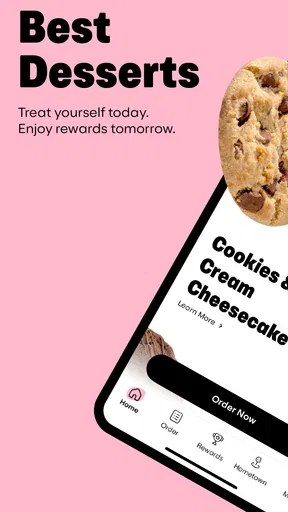
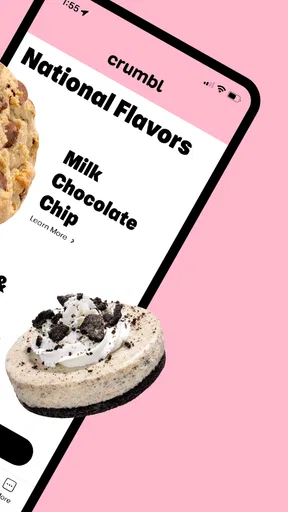
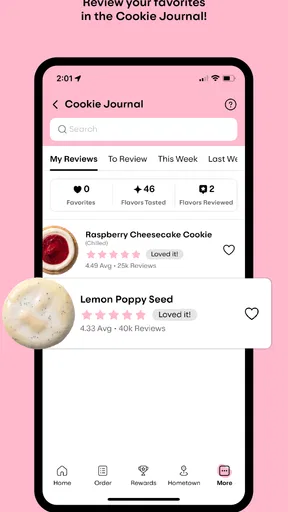
The app’s homepage is where the magic begins. You’re immediately hit with a weekly rotating menu of cookies. Yes, you heard that right! Every week, there’s a new lineup of cookie flavors, and let me tell you, each one is more tempting than the last. From classic chocolate chip to exotic concoctions like raspberry cheesecake, there’s something for everyone.
Ordering Made Easy
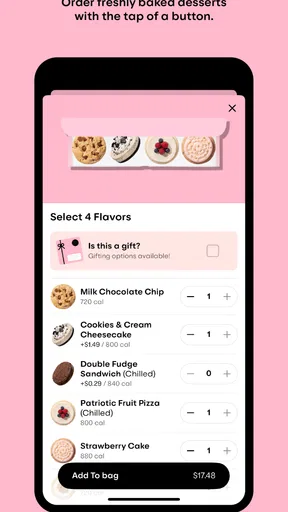
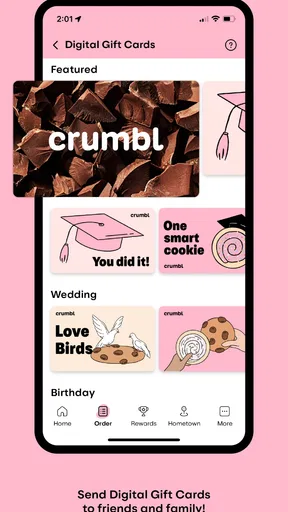
Let’s talk about the ordering process. It’s as smooth as a freshly baked cookie. With just a few taps, you can select your desired flavors, choose the quantity, and even add some extras like ice cream. And if you’re feeling generous, you can send a box of these delightful treats to a friend. The app even remembers your past orders, making repeat purchases a breeze.
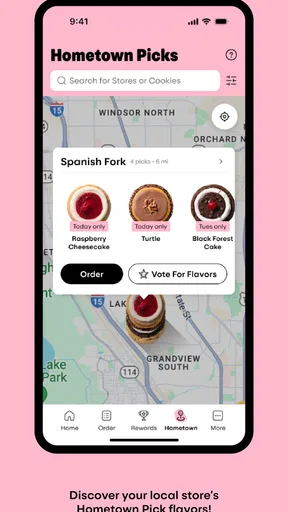
One feature I found particularly handy is the location-based service. The app automatically detects your nearest Crumbl store, ensuring your cookies are always fresh and ready for pickup or delivery. Plus, they keep you updated with real-time notifications on the status of your order. Talk about a personal cookie concierge!
The Sweet Perks
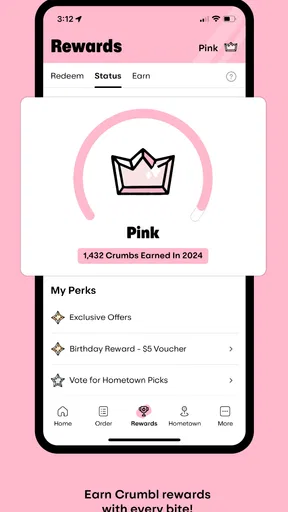
Now, who doesn’t love a good deal? The Crumbl app offers a rewards program where every purchase earns you points. Accumulate enough, and you can redeem them for free cookies. It’s like a loyalty club, but way tastier. Additionally, they often have exclusive app-only offers, so keep your notifications on to snag those sweet deals.
And for the socially savvy, the app integrates seamlessly with your social media accounts. You can easily share your cookie experiences and even flaunt your flavor picks of the week. Plus, Crumbl’s Instagram-worthy cookie photos are sure to make your followers drool.
Picking the app for the occasion
I’d recommend it most to regular Crumbl customers, people who like choosing from the changing menu before they arrive, and anyone sending a box as a small gift. The saved-order convenience is especially useful when I already know what I want: instead of rebuilding a familiar selection, I can start from what I’ve bought before and review it. I would still check every item, because a previous order is a shortcut for selection, not a reason to skip confirming the current details.
It is less compelling if I rarely buy cookies, prefer to decide only after seeing what a bakery has in person, or want a broad comparison across many local dessert shops. A bakery’s own app naturally focuses on that bakery, while a general delivery service may be more useful when I’m choosing between several kinds of food or businesses. For a Crumbl-specific order, though, the direct app puts the rotating selection, rewards and order details in one place. That focus is its strength and its limitation.
Small choices that make an order easier
For a group, I’d ask people for their preferences before opening the menu rather than trying to collect opinions while the order is in progress. A rotating lineup can prompt last-minute debate, and deciding who wants what beforehand makes quantity and flavor selection more deliberate. If tastes are mixed, choosing a variety is more useful than ordering several of the same flavor just because one photo caught my eye.
For a gift, I’d treat the recipient’s address and the delivery choice as the details most worth checking twice. I’d also make sure the selected treats suit the person receiving them, rather than assuming that the most popular-looking option is right for everyone. These are ordinary precautions, but they matter more in an app order because I’m not handing the box over myself and noticing a mistake at the counter.
The rewards program is a nice extra if I buy often enough to care about points, but I wouldn’t let it decide whether I need a treat. A reward has value only when the purchase already makes sense to me. Likewise, an app-only offer can be worth checking before I order, but I’d compare the offer with what I actually planned to buy instead of adding extras simply to chase a deal.
What the experience does—and does not—replace
The app is an ordering tool, not a substitute for every part of choosing dessert. It makes browsing and arranging a Crumbl order more convenient, but a person who wants to inspect what is available face to face may prefer walking into a store. Someone comparing local bakeries may be better served by a broader search or delivery option. I see the best fit as a customer who has already chosen Crumbl and wants less friction between that decision and getting the box.
That distinction also helps set expectations about the weekly menu. The changing selection gives repeat visits a sense of novelty, but it means I should stay flexible: if I’m buying for a specific person or event, I’d check what is on offer before promising a particular flavor. When the choice matters more than convenience, confirming the current lineup first is the sensible move.
When a quick counter order wins
If I’m already next door to a store, have a strong connection issue, or only want to make a very simple decision, opening the app may add an unnecessary step. Going in directly lets me ask a question and make the choice in person. Conversely, for a planned pickup, a repeat order, or a gift that needs a destination entered carefully, the app is easier to manage at home, where I can take a moment to review everything.
My practical approach would be to use it for planned orders and rewards, but keep the in-store option in mind for spontaneous stops. That avoids treating the app as mandatory and gives me a fallback when mobile ordering is awkward. The experience is most useful when its connected features solve a real problem—choosing ahead, directing the order, or checking progress—rather than adding taps to a purchase I could make more simply in person.
Final Thoughts
So, is the Crumbl app worth downloading? If you’re a cookie aficionado or just someone who enjoys a sweet treat now and then, it’s a no-brainer. The app’s user-friendly interface, convenient ordering system, and ever-changing menu keep things fresh and exciting. Plus, the rewards program is just the icing on the cake—or the sprinkle on the cookie, if you will.
To wrap it up, whether you’re planning a cozy night in or looking to surprise a friend with a delicious gift, Crumbl has got you covered. So, go ahead, give it a try, and let your taste buds embark on a weekly adventure. Happy munching!
Pros
- User-friendly interface for easy navigation.
- Wide variety of cookie flavors available.
- Weekly menu updates keep it fresh.
- Convenient online ordering system.
- Loyalty program offers great rewards.
Cons
- No customization options for cookie orders.
- Limited availability in some regions.
- App can be slow during peak times.
- Notifications can be too frequent.
- Occasional issues with order tracking.
FAQs for Crumbl
What is Crumbl and what features does it offer?
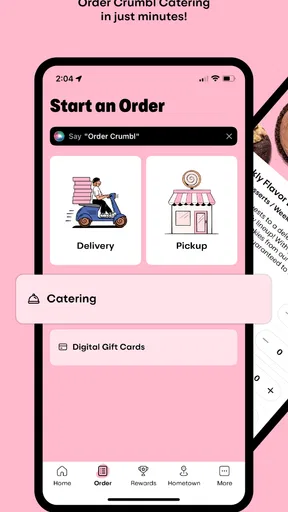
Crumbl is a mobile app that offers a delightful experience for cookie enthusiasts. It provides users with a rotating menu of gourmet cookies, allowing them to explore new flavors every week. The app offers features like online ordering, curbside pickup, and delivery options, making it convenient to satisfy your sweet tooth.
How often does Crumbl update its menu?
Crumbl updates its cookie menu weekly, offering four to five new flavors in addition to their staple offerings. This rotation keeps the experience fresh and exciting for users, ensuring there’s always something new to try with each visit or order.
Does Crumbl offer nutritional information for its cookies?
Yes, Crumbl provides nutritional information for each cookie on their app. Users can easily find details about calories, ingredients, and allergens. This transparency helps customers make informed decisions, especially if they have dietary restrictions or preferences.
Can I customize my cookie order in the Crumbl app?
While Crumbl focuses on offering a curated selection of cookies, the app does not currently support customization of individual cookies. However, users can choose from the available flavors each week and order them in various quantities, including boxes of four, six, or twelve cookies.
What are the delivery and pickup options available on Crumbl?
Crumbl offers multiple convenient options for receiving your cookies. Users can choose between in-store pickup, curbside pickup, and delivery, depending on their location. The app allows you to track your order status in real-time, ensuring a seamless and timely experience.


